17th October 2026
A few months have passed since my last update. A lot has changed in the software since then, much of it behind the scenes, in the shape of refactored code; but some new, visible and vital features have also appeared.
Refactoring
After implementing annotations, I created a script to migrate v1 Orsn sites to the new v2 architecture. This was limited in some ways, as the plugins from the v1 software don't exist yet in v2, so it wasn't possible to port maps, pinboards, etc. However, it was possible to port projects, cards, card annotations, and card stacks. I used the script to migrate my own personal knowledge base, which consists of about 1,500 cards, to Orsn v2. This immediately made some issues visible which weren't obvious when working with just a handful of test cards and pages. As a result I implemented more efficient card loading, when there are multiple open cards in tabs and/or stacks. I also fixed some issues with switching between Orsn projects. Some of the code terminology was overhauled, as was the permissions system for different user roles.
Search
The other thing that became obvious was that it was time to sort out a vital missing feature which hadn't yet been fully ported from version 1: search, both at the project level, and at the level of individual cards.
Search for cards and pages in a project, and across projects, is implemented as a popup search dialog which is available from anywhere, but also as a full search page, which is linked from the dialog. This follows the search model familiar from the Discourse forum software.
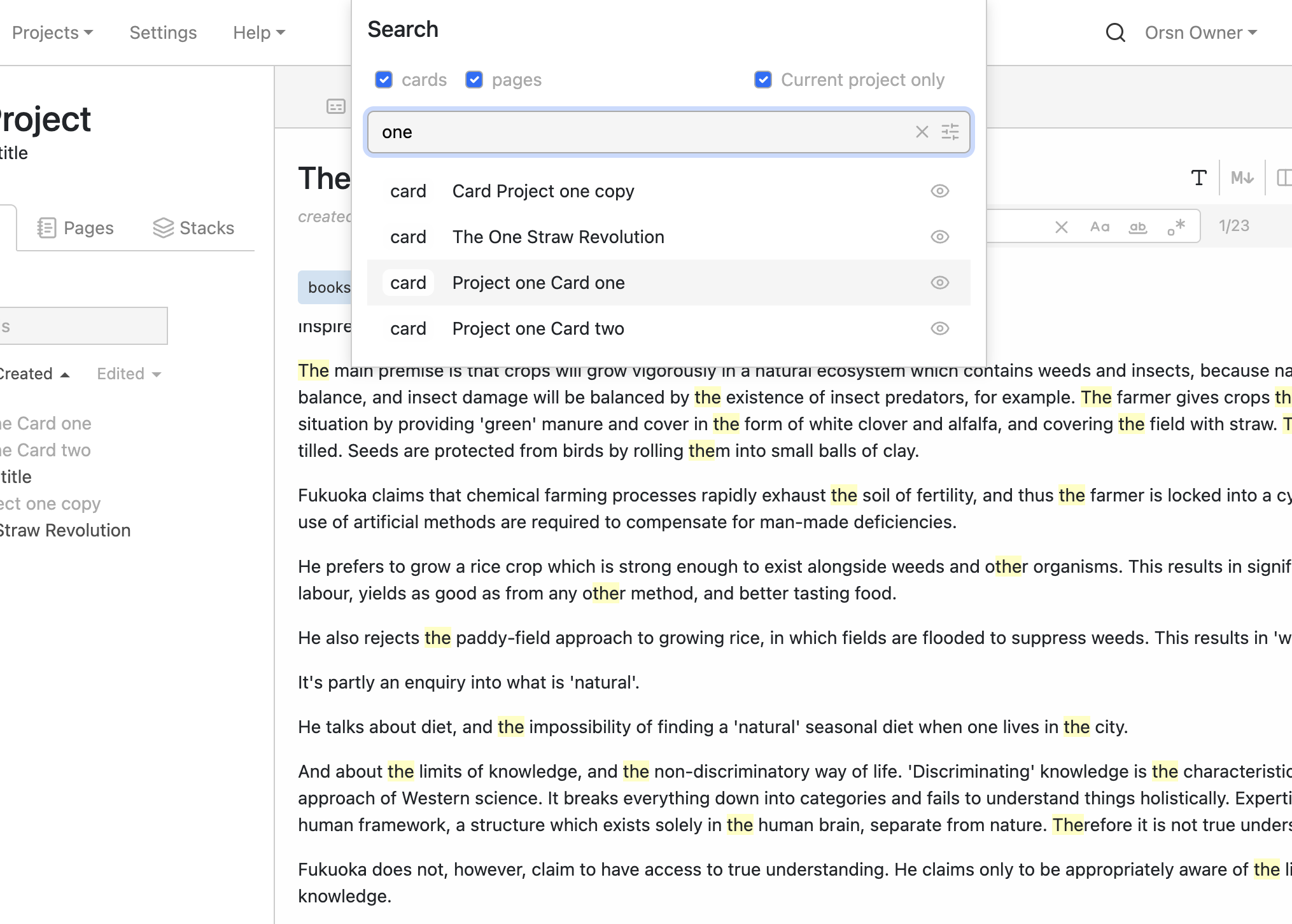 Search within a project
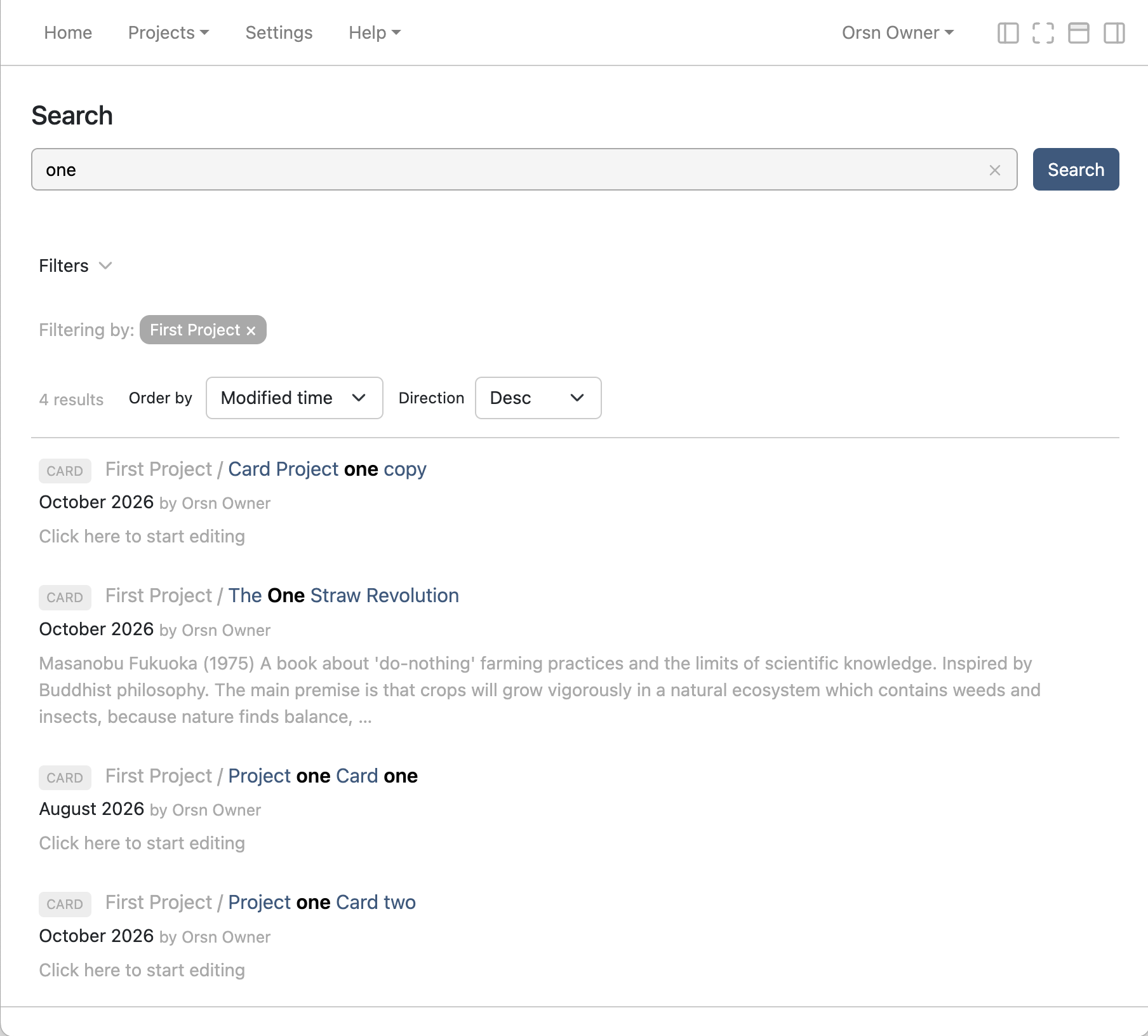 Search page
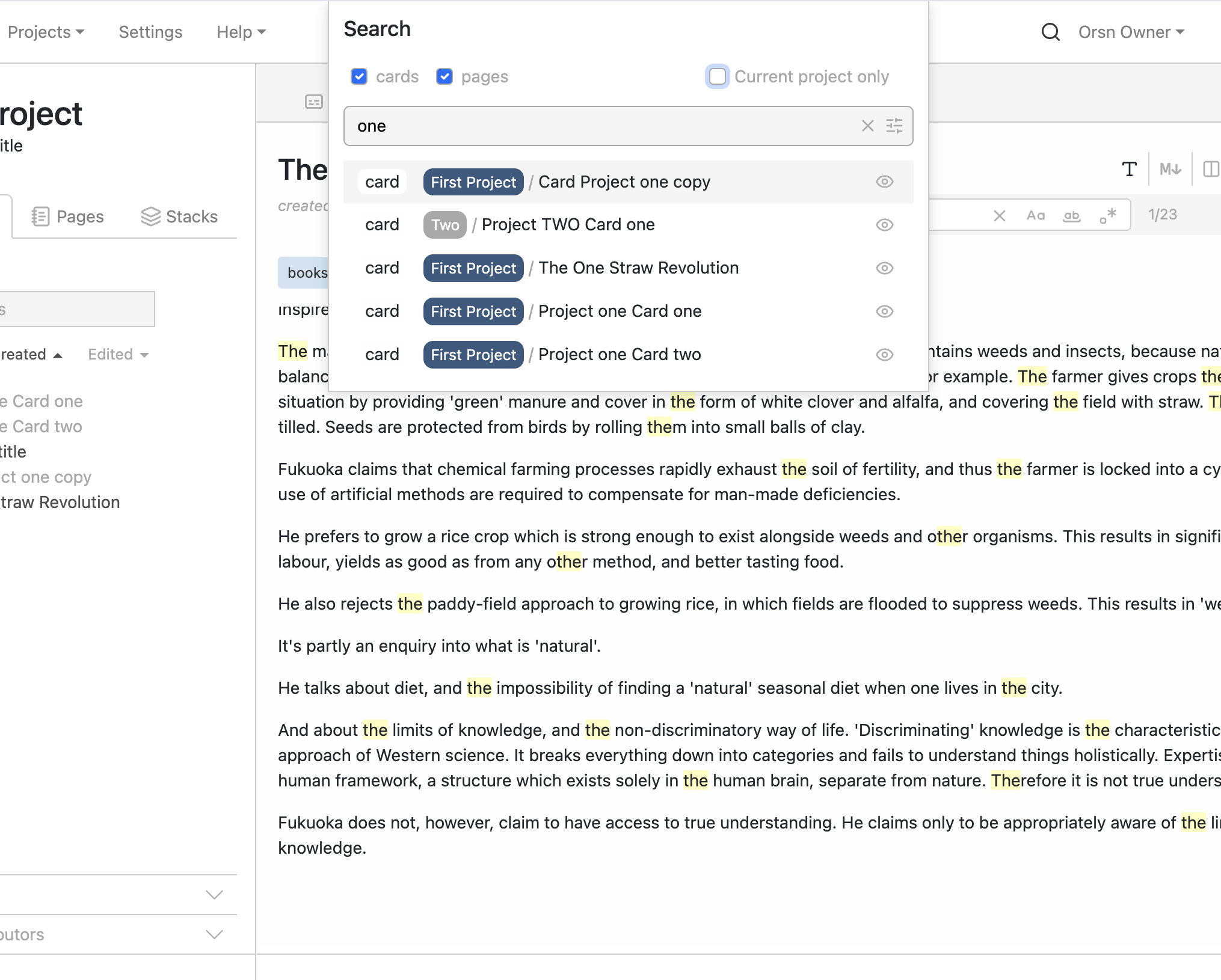 Search across all projects
Search within a card is via a toggleable search input box which is pinned to the top of the card, and is visible even when scrolling the card. For this, I was inspired by the implementation of document search in my IDE and other popular IDEs. The search widget has the following familiar features:
- option to match on case
- option to match on whole word
- option to match on regex
- step through results ('next' / 'previous'), which scrolls each highlighted match into view and selects it, ready for editing
- option to display a 'replace' field for doing search and replace
- option to preserve case when doing replace
- option to replace one match at a time or all matches at once
These are probably very familiar options to many users, but it's very satisfying to have implemented this and have it working so well.
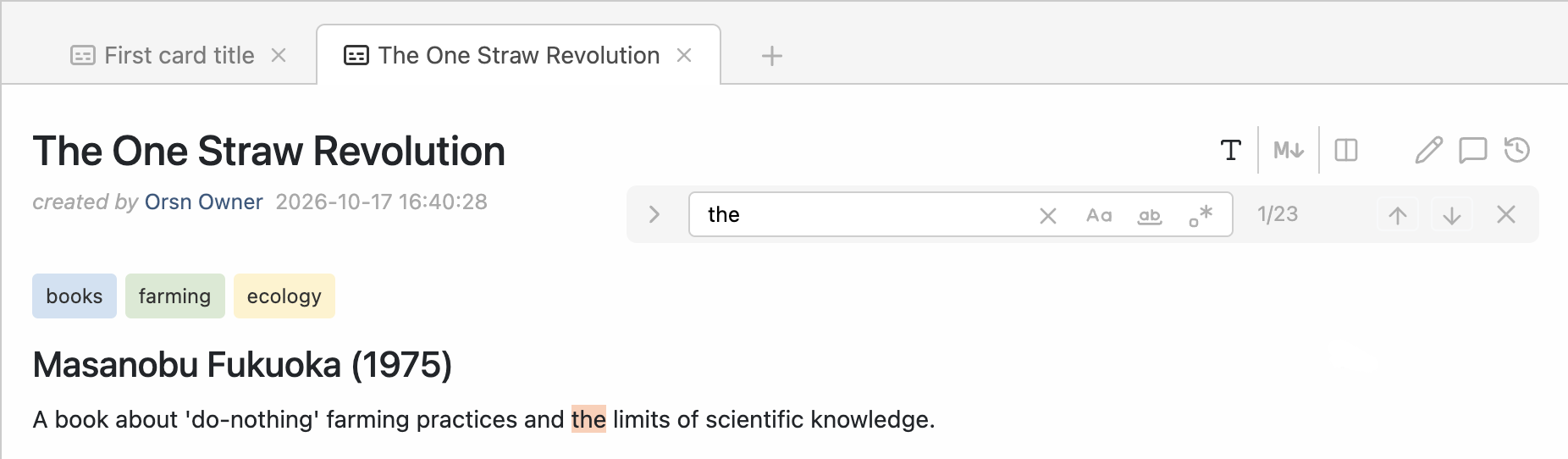 Search within a card
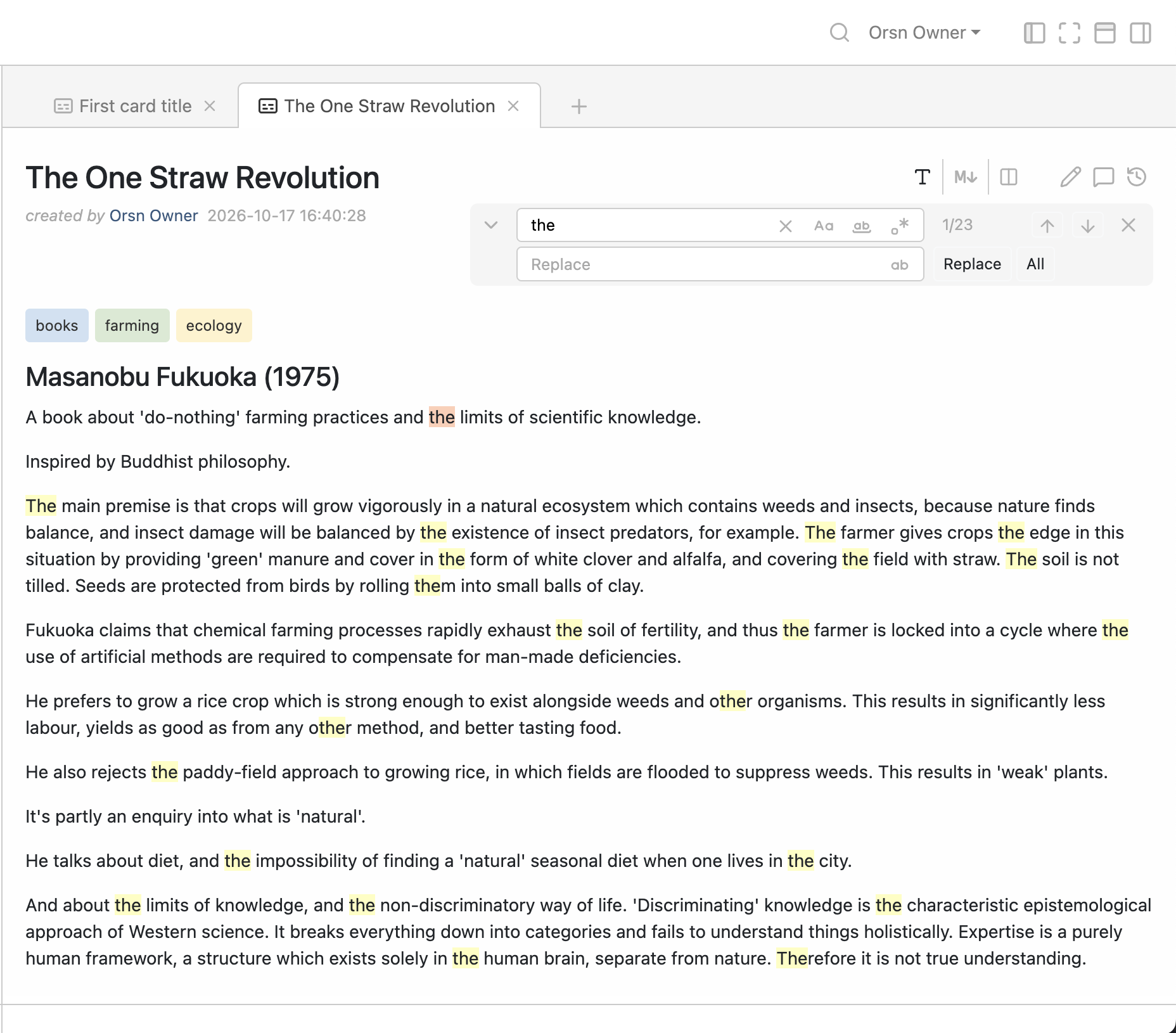 Search and replace within a card
Command Palette
Again, inspired by popular IDEs and text editing tools like Sublime Text, I added a basic Command Palette, which is a keystroke-driven popup dialog which allows you to perform actions related to the currently visible content. In the longer term it will also allow for installation of extensions, browsing of extension registries, etc. The Command Palette is good for at least two things: access to unlimited powerful actions (e.g. 'Move current card to project...'; 'Split card into cards...') without cluttering up the user interface with multiple icons and menus; and speeding up interactions by providing a keyboard-driven workflow.
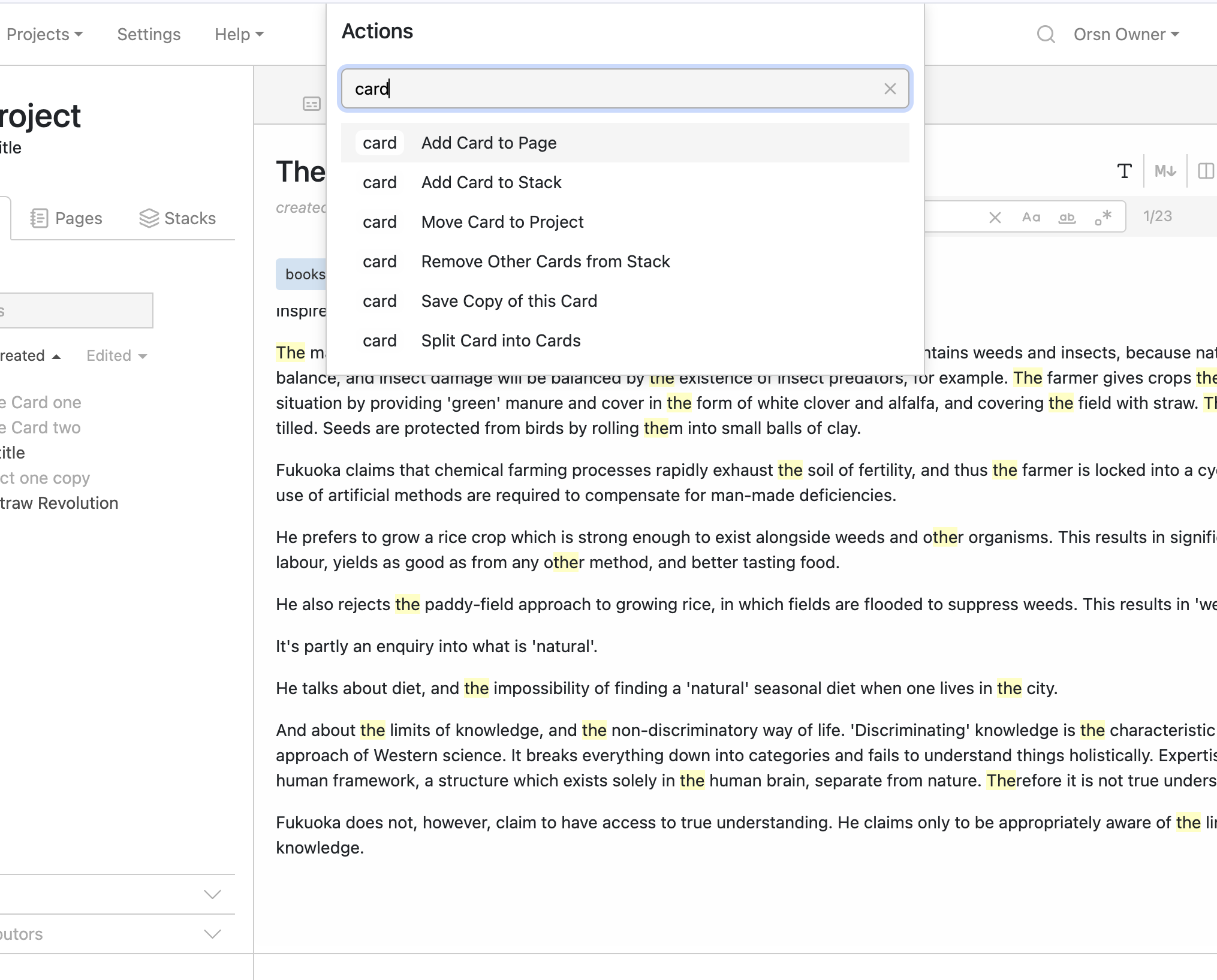 Command palette
Contact
Find me on the fediverse (Mastodon) @Lemmy@post.lurk.org, or send an email to: info [at] orsn.io